

- Video
- Text
Installing FiveM (Requires Grand Theft Auto V Legacy)
1
Locate your Grand Theft Auto V folder
Open the launcher you used to install GTA V (Steam, Epic Games, or Rockstar Games Launcher).Go to your game library and select Grand Theft Auto V.Click Manage (or settings/options), then select Browse Local Files.This will open your GTA V installation folder in File Explorer.
2
Copy the game directory path
At the top of File Explorer, click the address bar showing the folder path.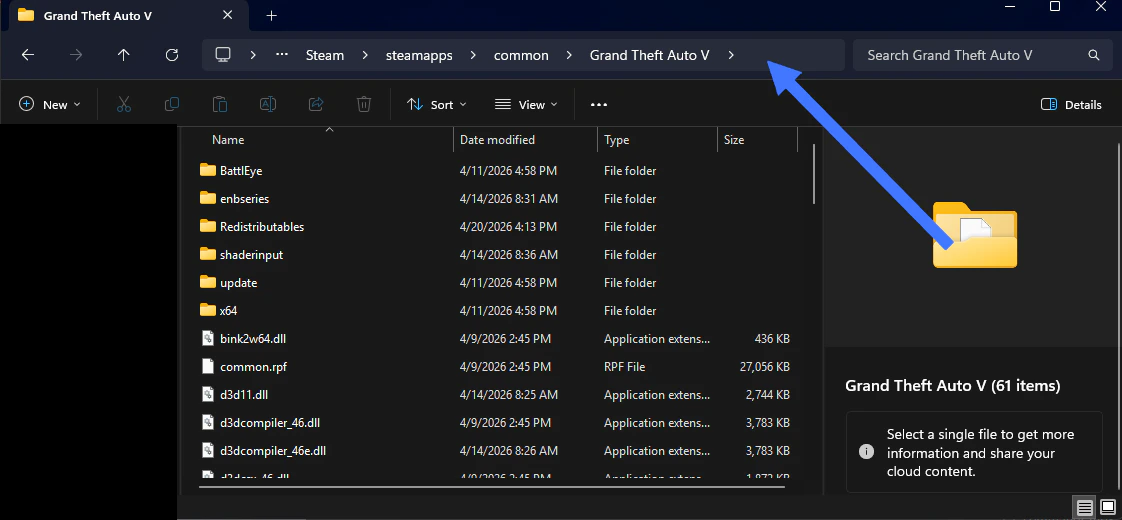
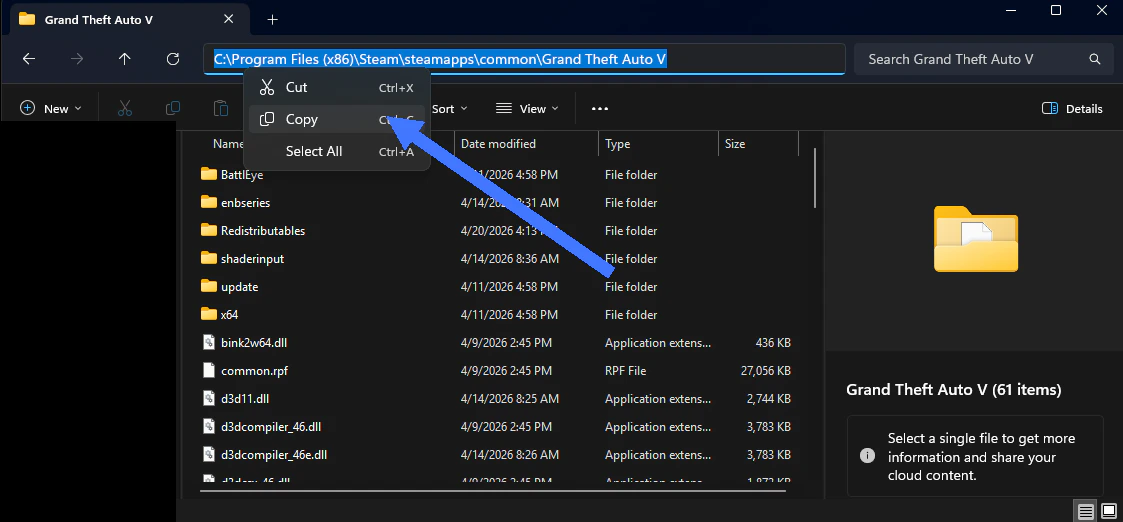
3
Download FiveM
Open your browser and go to fivem.net.Click Download Client and install FiveM.When prompted, paste your GTA V folder path.
Joining Drift Society
1
Open FiveM and sign in
Launch FiveM from your desktop or start menu.(Optional) Sign in using your Cfx.re / Rockstar account.Wait for FiveM to fully load into the main menu.
2
Find the server
Go to the Play tab in FiveM.Search for Drift Society.If it does not appear, open the console with F8 and enter:You can also find the latest connect link in the Discord.
connect play.driftsociety.lol
3
Connect to the server
Select the Drift Society server.Click Connect and wait for loading to complete.Assets may download on first join—this is normal.
4
Finish loading in
Once loaded, follow any in-game or Discord verification steps.You are now ready to play on Drift Society.